
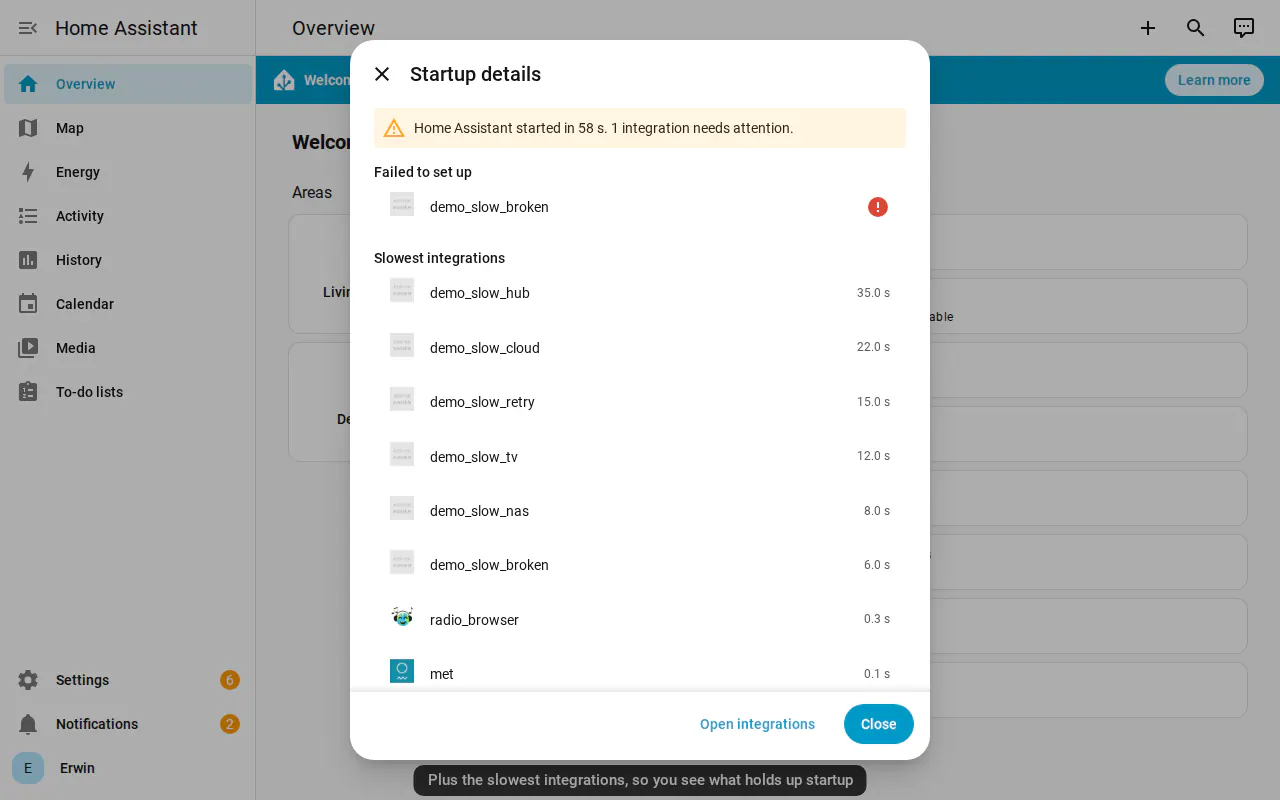


An integration taking a long time to start no longer hides what the others are doing. The startup message opens a live view of the current phase, the connections still being set up and how long each has been running.
Completion appears when the system is actually running, with a warning if any integrations need attention. The summary retains the total startup time and the slowest integrations; familiar icons help identify them, with a separate alert beside failures.
Erwin Douna connects the new screen to the startup reporting added earlier this month. It explains the wait without changing how integrations are scheduled or how long they are allowed to take.